Category

Technology

Wonderful Websites – Music & Radio

By Amazon, Music & Radio, Technology, The WebNo Comments
wonderful-websites-image This is the ninth blog post in a series titled Wonderful Websites. The first focused on general health and can be read here. The second focused on mental health and mental illness and can be read here.

The third post focused on shopping and can be read here. The fourth focused on money and can be read here.

The fifth focused on gigs, shows and theatres and can be read here. The sixth focused on paganism and can be read here.

The seventh focused on gay culture and society and can be read here. The eighth focused on TV, Online Streaming & Films and can be read here.

Here’s Wonderful Websites for music & radio:

1. YouTube – It’s great for discovering new music. You can watch official music videos or lyrical videos. Plus YouTube will automatically find related videos.

2. iTunes – Podcasts – I love a good Podcast. Podcasts are like prerecorded talk radio shows. Two I enjoy are Desperate House Witches and The Gay Agenda.

3. iTunes – A quick and convenient way to buy and download music. I dislike the restrictions Apple are placing more and more on the music you buy through their store.

4. BBC iPlayer Radio – The great way to listen to and catch up any BBC radio station.

5. Gaydio Radio – If you like dance music you’d love Gaydio. I listen on the odd occasion. However a wider variety of music and some discussion programmes would better represent the diversity in the gay community.

6. Spotify – I got a Spotify Preimum free trial with a phone contract a number of years ago. I loved it. But when the free trial ended the £9.99 per month was in my mind too expensive for a service that you get nothing tangible from.

I tried the free version but the advertising was too frequent and quickly became too irritating to stand. So I don’t use Spotify at all now.

7. Heart Radio – I’ve recently discovered Heart Radio thorough hire car and courtesy car radios as my car has been off the road (see It Comes in Threes).

8. Smooth Radio – I like a bit of Smooth radio as it helps me relax. Even if they do repeat the same tracks far too often.

9. Amazon Music Unlimited – I’ve never tried Amazon Music Unlimited. I bet it’s great if you have Amazon devices such as the Amazon Echo.

Are there any music & radio websites that you think are useful that aren’t on the list? If so leave a comment below and let me know.

In the next post in my Wonderful Websites series I will list great websites for technology.

Blog soon,

Antony

mental-health-wisdom-banner


I aim for posts on this blog to be informative, educational and entertaining. If you have found this post useful or enjoyable, please consider making a contribution by Paypal:


Share on Social Media:

It Comes in Threes

By Life, Technology, TransportationNo Comments

There’s a saying that things, especially bad things, come in threes. I’ve had two unfortunate things happen recently.

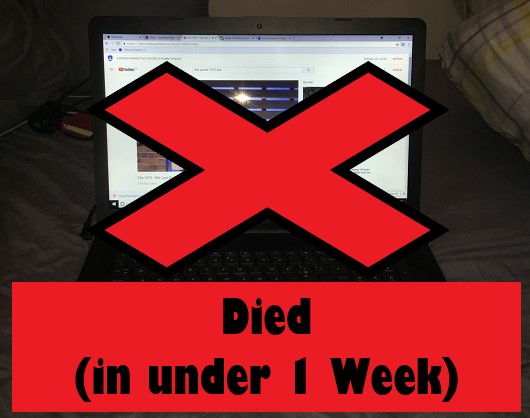
First my new laptop that I’ve written about here died in under 1 week. It crashed and froze on start up, meaning it was completely unusable. I tried reformatting the hard drive and reinstalling Windows via Recovery Mode (F2 pressed repeatedly on switch on) but to no avail. However credit must be given where it is due, HP Support were fantastic. They arranged for my faulty laptop to be picked up and replaced it with a new one quickly.

new-HP-laptop-Died

My new HP Laptop died in under one week.

Second the clutch went in my car. Luckily just after I got off the motorway. The RAC towed it to a garage. At the garage we discovered that my car would no longer switch on. This means that as well as the master cylinder that needing replacing, there’s also likely to be another problem with my car.

Currently my car is still with the garage, nearly three weeks later. Hiring a car is starting to get costly and it’s likely that my car will end up being an expensive repair job.

car-olly-off-the-road

The clutch went in my car. It’s still in the garage, nearly three weeks later.

This poses the question:

what-next

Well I’ve got a few contenders. My boiler is playing me up. The speaker and microphone on my iPhone 6 plus is starting to go. This is particularly annoying and frustrating as I’ve only had my iPhone for just over a year. It was a replacement for a previous iPhone that also broke at just over a year old. On my next upgrade I’m most likely to switch to a Samsung Galaxy. Hopefully their phones are better built. My Washer/Dryer has started to sound like a noisy hovercraft taking off.

I’m keeping my fingers crossed that whatever the third thing is to brake, it holds off for a few months.

Write soon,

Antony

mental-health-wisdom-banner

Share on Social Media:

Essential Programs for a new Windows 10 PC or Laptop

By TechnologyNo Comments

I recently purchased this new Windows 10 laptop, which is brilliant:

new-AHP-laptop-May-18-0

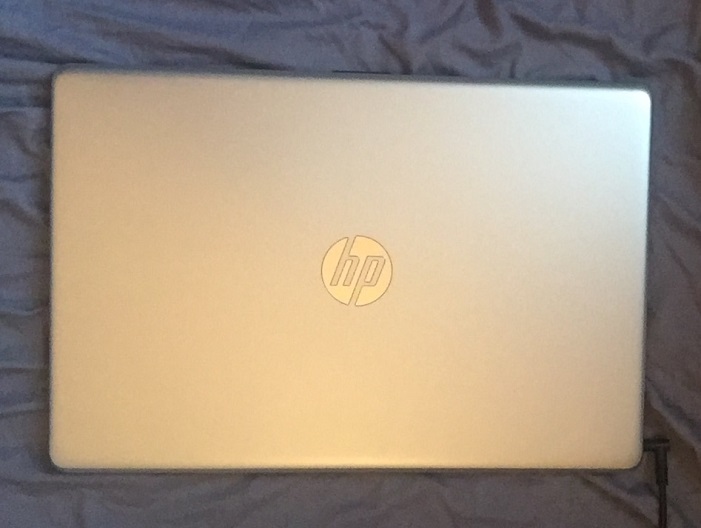
My new HP laptop from HP’s Online Store (1).

new-HP-laptop-May-18-1

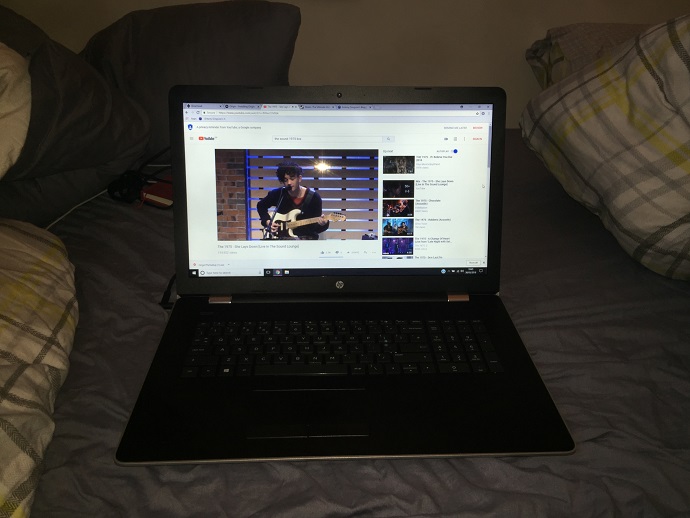
My new HP laptop features a massive 17 inch screen, 1TB hard drive, 8GB ram and Windows 10.

I didn’t realised quite how big the 17 inch screen would be, it’s massive, I’ve never had one so big, oh err!

But having been Apple-based at home for the past several years I needed to get to grips with what essential programs I needed for Windows 10. I did a bit of research, made some decisions and came up with a quick list of essential programs.

Here’s my quick list of essential programs for a new Windows 10 PC or Laptop, these are all programs that I’ve installed on my new laptop:

Internet Browser – Chrome
Chrome is quick, easy and simple to use. It’s quicker than the default Microsoft Edge. The only thing I don’t like is Google tracking my every search.

So I’ve set the search engine to Duck Duck Go. Duck Duck Go doesn’t save any personal information, has no advertisement tracking or anything like that. In my experience they also offer a more varied search result than Google. This is because Google uses your personal information to exclude websites from your results.

You can download Chrome here.

Antivirus – Avira
I read countless reviews of Antivirus software for Windows 10. Avira came top in every review.

You can download Avira here.

Maintenance – CCleaner
CCleaner gets rid of unnecessary files that ultimately slow down you computer. If you don’t keep on top of the file maintenance, your new PC or Laptop could become as slow as a half-dead snail.

You can download CCleaner here.

Office – Microsoft Office 2016
There are a few well known free alternatives to Microsoft Office (2016). There’s also cloud-based apps. But I decided to buy in Microsoft Office (2016), mainly for familiarity reasons.

You can buy Microsoft Office (2016) on Amazon here.

Video & DVD – VLC
VLC is my all-time favourite video player…it just works. An essential program for me on my iMac, iPad and now on my Windows 10 laptop.

You can download VLC here.

mental-health-wisdom-banner

Images and Photo Editing – GIMP and Paint 3D
GIMP is a program I’ve used many times on my Mac to edit images and create infographics. It’s similar to Adobe Paintshop Pro but without the expensive price tag.

I’ve never tried Paint 3D. But so many articles during my research recommended it, that I’ve downloaded it to give it a try.

To me GIMP is essential as Windows 10 still has Paint but not much else.

You can download GIMP here. You can download Paint 3D here.

Music – iTunes or MusicBee
iTunes is the first choice for a music management library. However I was concerned that having iTunes on two computers (my iMac and my new laptop) might mess up the library and syncing.

So I went for a free alternative called MusicBee. MusicBee is a good piece of software and is very flexible to different needs of different users.

You can download MusicBee here. You can download iTunes here.

Gaming – Steam and Origin
I’m a casual gamer, but in order to play any games I’ve previously purchased I needed to install both Steam and Origin (I have bought games on both platforms in the past).

You can download Steam here. You can download Origin here.

Getting files and folders from Mac Formatted Drive to Windows 10 – HSFExplorer
This last program isn’t essential for everyone. But it was for me, having previously being Apple exclusive.

HSFExplorer allows you to view files and folders saved on a Mac formatted pen drive or external hard drive and copy the files over to Windows. A fantastic program that does require Java installed.

You can download HSFExplorer here. You can download Java here.

Unless stated otherwise the programs above are free. Some have to option to purchase more features, purchase other supporting programs or buy other programs within them.

I hope you’ve found this blog post useful. Are there any programs I’m missing? If so, please let me know what they are by leaving a comment below.

Blog soon,

Antony

mental-health-wisdom-banner


I aim for posts on this blog to be informative, educational and entertaining. If you have found this post useful or enjoyable, please consider making a contribution by Paypal:


Share on Social Media:

The Future of the Internet

By Technology, The Web, ThinkingNo Comments

This is a fascinating video about the dark net and the future of the internet:

Click here to display content from YouTube.
Learn more in YouTube’s privacy policy.

Watch and let me know what you think in the comments below.

Blog soon,

Antony

mental-health-wisdom-banner


I aim for posts on this blog to be informative, educational and entertaining. If you have found this post useful or enjoyable, please consider making a contribution by Paypal:


Share on Social Media:
×