I’ve recently installed two content plugins on my blog: Random Images for WordPress and WordPress Related Posts. The aims for these plugins were to recycle older content and direct visitors to other posts/pages of interest. From the sites statistics they’ve been a huge success. So let me tell you about the plugins:
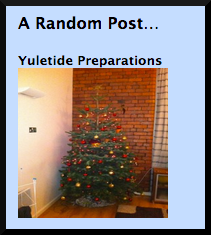
(Random Image for WordPress Screenshot)
|
Random Image for WordPress by Justin Watt
About:
Random Image for WordPress displays a random blog post title and image on the sidebar. It will only display posts with an image, those without it won’t display. But it has lots of customisable features, that are easily tweaked on a settings page (Settings – Random Image).
Features:
- Sort images randomly or show recent images.
- Edit the HTML template for how post titles, images and captions are shown.
- Select from ALL or only specific categories/tags – very useful if I say only wanted to show book reviews. It’s set up for all at the moment.
- Customisable image width and height.
- Able to take images from galleries.
Link(s):
Plugin’s Page @ Justin Watts
|
This plugin is easy to install and use. It’s great because of it’s position on the sidebar. It catches the readers eye and if the title or image spark they’re interest, they can click for a view. It’s a brilliant way to recycle old content; but the randomness has it’s pro’s and con’s. The pro is that on the homepage, it’s good as you don’t know what the visitor is into so it gives a variety of content, changing on every refresh. The con is that on specific posts it doesn’t link to simliar posts.
Which is why I’ve installed WordPress Related Posts:
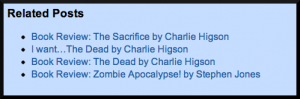 (WordPress Related Posts Screenshot) (WordPress Related Posts Screenshot)
|
WordPress Related Posts
About:
WordPress Related Posts displays other related posts at the bottom of the post page the visitor is on. So for example, if you’ve come to a book review post, it will offer you other book reviews, possibly by the same author. It clearly links together appropriate posts and if you’re not satisfied with the results, you can choose which posts appear on that particular page. It has it’s own settings page (Related Posts on your Dashboard left sidebar) making it easy to customise the many features.
Features:
- Highly customisable, you can choose to display or not: Title (before related posts links/images), number of posts, the number of comments, the publish date and an excerpt (max 200 words).
- It can include or exclude a thumbnail image. I choose to exclude a thumbnail image, as I don’t want to distract the viewer from the post they’ve come to. I simply want to offer the viewer suggestions before they leave.
- Choose a default image, for posts without an image.
- Choose which posts are displayed on a post, if your not happy with the ones the plugin suggests. Although I have to say the plugin does it automatically very well.
- CSS customisable.
- Adjust the formatting for a mobile device.
- Pageviews & click Statistics (if you sign up to it).
- Choose to exclude certain Categories.
Link(s):
Plugin Page @ WordPress
Zemanta Ltd. Website
|
This plugin was easy to install and use. I’m still experimenting with this plugin, in terms of what format works best but it seems to be doing what I want it to do: directing visitors to other posts of interest. It’s useful for me as I write about the same sort of things. I guess if your content was varied and didn’t have simliar themes it wouldn’t be useful to you.
These plugins are helping to increase the time visitors spend on my site and helping them notice some of my other content. However, it means that I’ve got to create great, regular and orignal content that they will want to view.
Blog soon,
Antony